Xpiks 1.7.5 is out! In this release, we’re focusing on even more automation of boring parts of the workflow and a few quality of life improvements.
Automatic metadata generation during Cloud Upload
The single largest innovation of this Xpiks update is this:
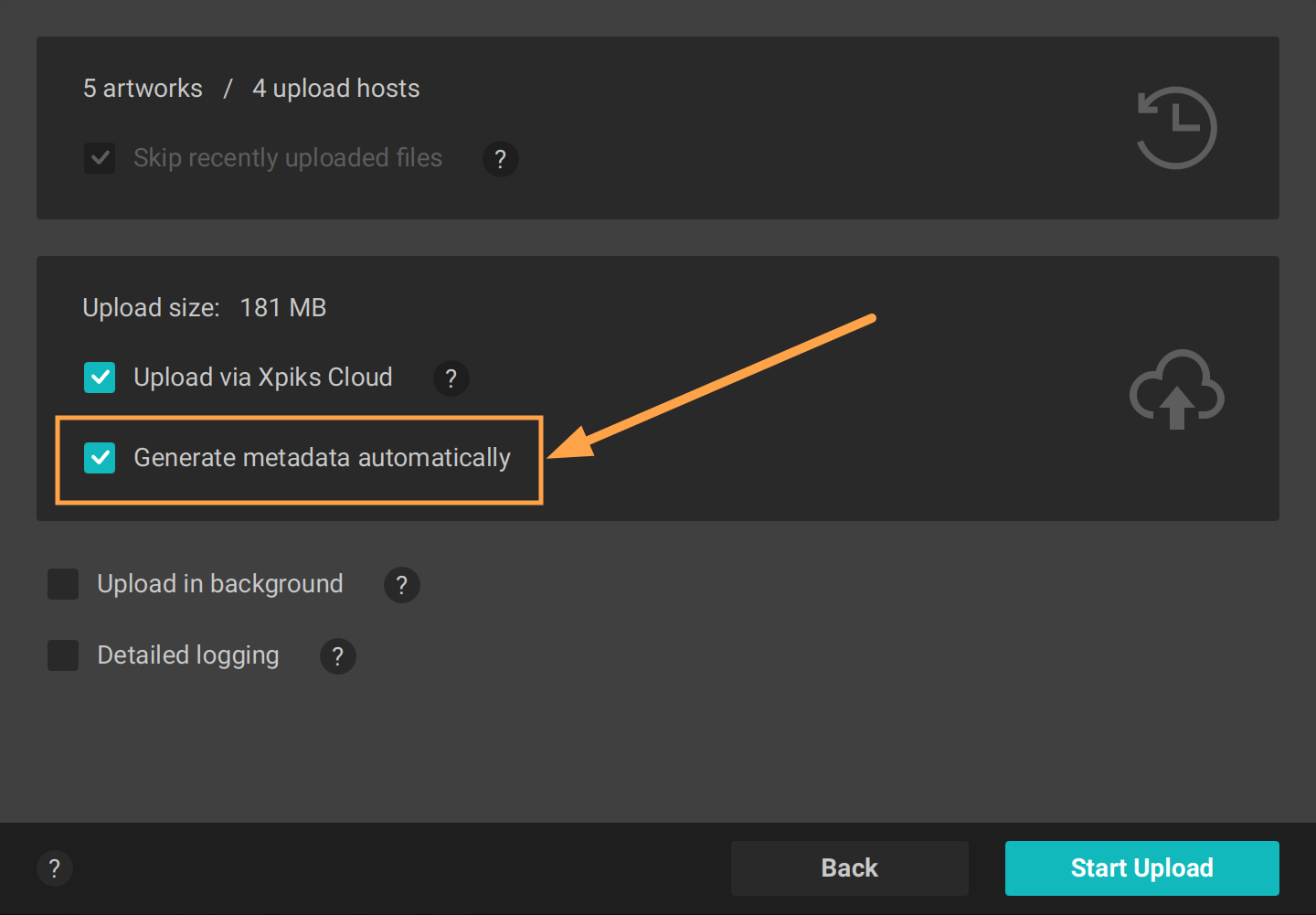
Option to generate automatic metadata during cloud upload
Yes, that one checkbox! But it means a lot, so don’t judge it too fast. Now, during Cloud Upload, we can generate and fill all the metadata for your files, and do it fully automatically using the wisdom of AI!
So the entirety of your workflow now would be to open your files in Xpiks, press “Upload”, mark this checkbox (together with “Upload via Xpiks Cloud”) and.. that’s all! You will receive a notification when your files are fully uploaded - then you can log in to the agencies, verify that everything is in order (this is important!) and press “Submit”. Imagine all the time you will save!
If you already rely on AI keywording using auto-keywording plugin, you may find this even more “automatic”!
NOTE: At the time of this release, only photos and vector previews are supported, but video and full vector support is coming soon.
In case you want to get the generated metadata, it will be available in the email after your cloud upload will finish.
Credit system update
Auto-keywording and Cloud Upload are available for Pro+ subscriptions, and they come with an included monthly allowance. This allowance was available on the “use it or lose it” principle which has undergone a small update. As of now, any fully unused monthly allowance will not be expiring anymore each month but instead will be carried over to the next.
This change also means that current Yearly subscribers have their balance accounts updated immediately and Monthly subscribers - starting from the next month.
Plugin updates
Auto-keywording plugin
Blocklist
Auto-keywording plugin itself comes with a new version that has a “blocklist”. This is a functionality requested by users who want to exclude certain keywords used.
You can add keywords to the blocklist from the context menu in the tab:

Right click a keyword to open a menu
Blocklist will be applied during batch keywords generation automatically and you edit it yourself using the menu Tools -> Plugins -> Auto Keywording -> Manage block list.
Description limits
There was a long-time issue when sometimes descriptions longer than 200 characters were generated. Finally, this has been taken care of and from now on should be fully compliant.
Quality of life improvements
Warnings updates
First of all, now you can check warnings in selected files specifically (previously, you were only able to do it for all opened files).
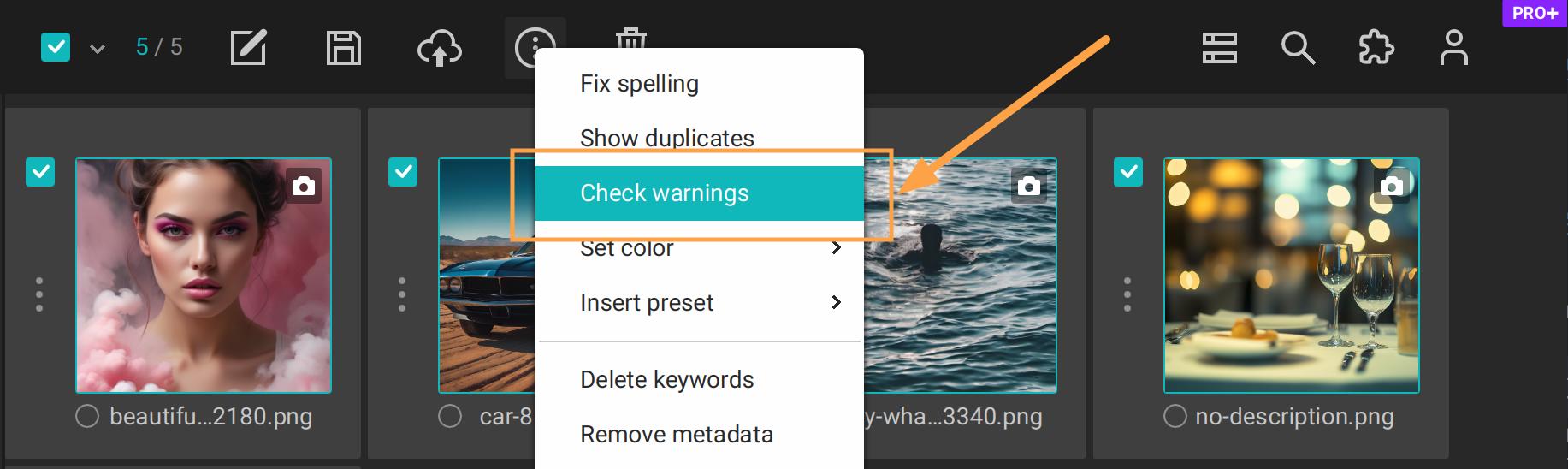
Check warnings only in selected files
And secondly, now you can configure warnings in which you are interested directly from the warnings view, using a new context menu in the top right corner:
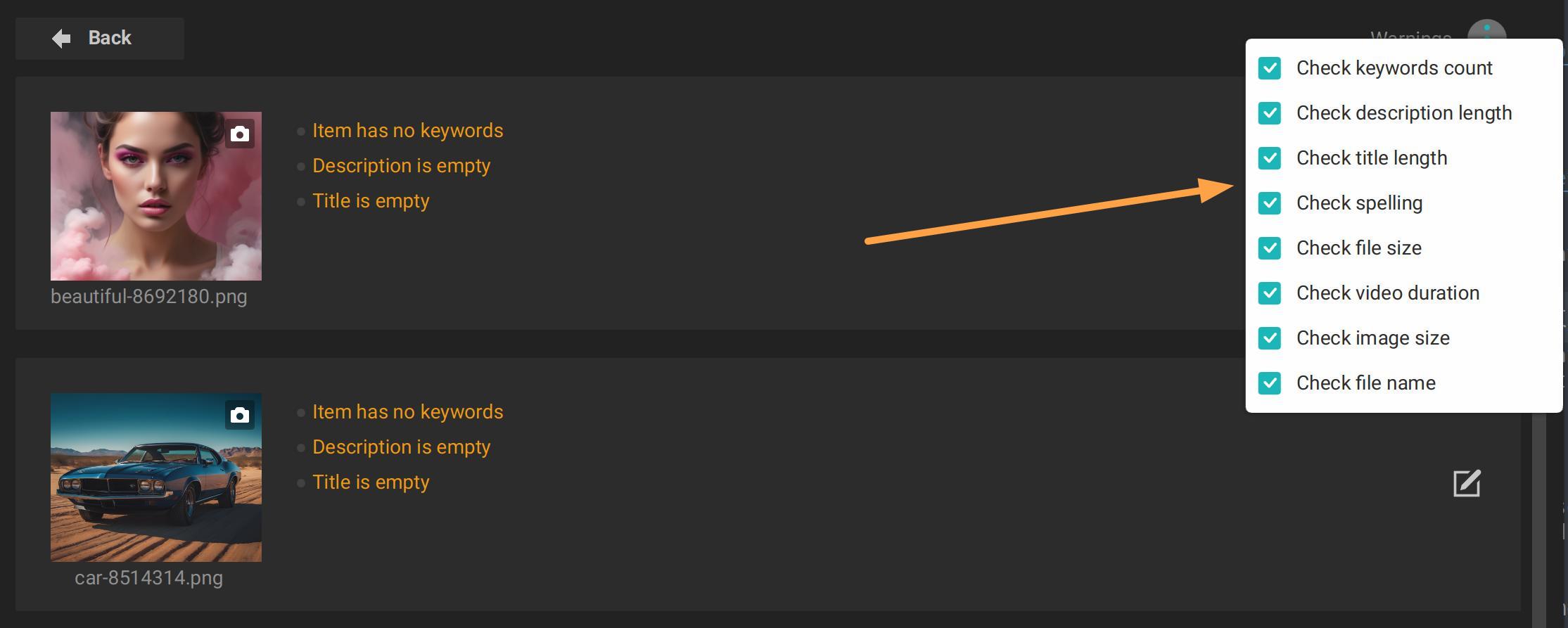
Same warnings settings like in Xpiks settings
New shortcuts
There are a few new shortcuts added.
NOTE: for macOS, replace
CtrlwithCmdbelow (as always)
In the main view you were always able to move focus next using Tab key, including jumping to the next file (or previous, using Shift+Tab). Now Ctrl + Up/Down (mirrored by Page Up/Down) was added to jump to next/previous file, while keeping focus in the same field (e.g. if you were editing Description, focus will stay in the Description of the new file). This is useful for professional keywording services.
Batch editing was also accessible from main view with Ctrl+E, but if you selected a single file, Xpiks would open a single file editing instead. Now with the help of Shift+Ctrl+E you will always end up in the batch mode, even for a single file. If you ask why, it is that in batch mode, you can press “Cancel”, while in single mode, all edits are immediately saved.
Maintenance mode
Last but not least, Xpiks’ backend services (like license activation or automatic keywording) are being updated from time to time, but previously in Xpiks, they appeared just “not working” during maintenance. From now on, you will get a user-friendly notification about what is actually going on.